


Osano and the IAB Canada TCF Framework
Updated 5 months ago
Enabling the IAB Canada TCF framework within Osano is straightforward. To start, flip the “IAB GPP & EU TCF 2.0 Frameworks” switch in the “Settings” of your consent manager configuration.

Important: If IAB TCF is enabled while Osano is in Discovery/Listener mode, the consent banner will not display to end users, which means consent signals will not be passed to IAB vendors or downstream ad platforms (such as Google Ads). This can cause ads to stop serving and other unexpected behavior. To avoid this, we recommend only enabling the IAB TCF setting when Osano is running in a live mode (Permissive or Strict).
Once enabled, go to the new IAB tab and use the search field to find and select any IAB vendors you work with. This action is required to enable the proper creation of the IAB Canada string.
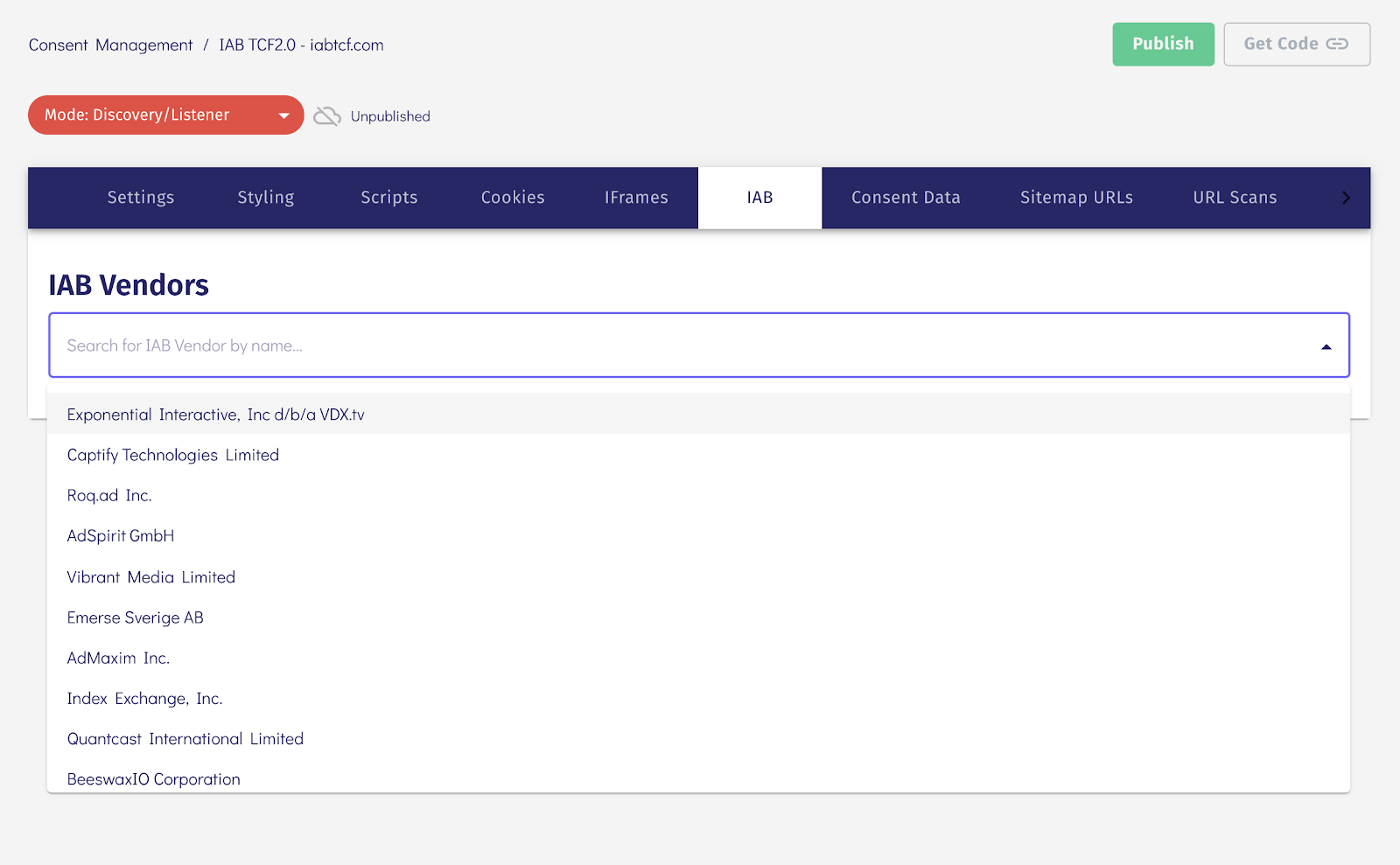
Once you “Save” and “Publish” these changes, customers that access your site from applicable regions (Regions that fall under the jurisdiction of Canada) will automatically receive the TCF version of the Consent Manager.
Once set, Osano will automatically signal consent to any included vendor using the IAB framework on your website.
As the IAB's Canada TCF is an extension under the IAB Global Privacy Platform, the Osano CMP exposes the standard IAB GPP CMP API specifications to communicate string data.
This means that vendors can read out the user's consent state from the gppData object and string.
Here is an example request using the Global Privacy Platform API specification:
__gpp('getGPPData', (gppData, success) => { if(success) { console.log(gppData) }});Example Response:
{sectionId: 3, gppVersion: 1, sectionList: Array(1), applicableSections: Array(1), gppString: 'DBABD~BPtgCVNPtdzsgAfXcBENABBYAP-AAP-AAQB0wmSZGVQaAYJwB0wmSZGVQaAYJg', …}